
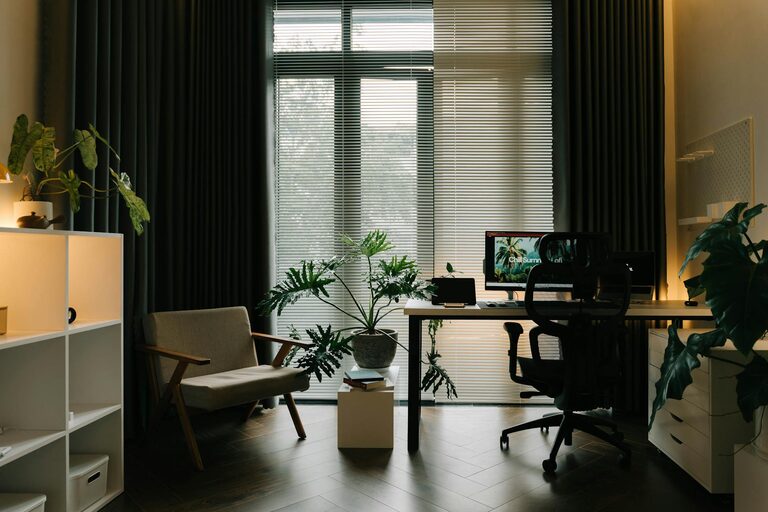
Creating an efficient and comfortable home workspace is essential for anyone who works remotely or spends several hours at a desk. A well-organized environment not only improves productivity but also enhances your overall well-being. Here are simple, practical tips to help you transform your home office into a space that supports focus, creativity, and comfort.
1. Choose the Right Location
Find a Dedicated Space
If possible, select a quiet corner or room dedicated solely to work. This helps your brain associate the area with productivity and reduces distractions.
Consider Natural Light
Position your desk near a window to benefit from natural daylight. Natural light can boost mood, reduce eye strain, and increase alertness.
2. Set Up Your Desk Ergonomically
Invest in an Ergonomic Chair
A good chair supports your lower back, encourages good posture, and reduces strain. Adjust the height so your feet rest flat on the floor and your knees are at about a 90-degree angle.
Position Your Monitor Correctly
The top of your screen should be at or slightly below eye level, about an arm’s length away. This setup helps prevent neck and eye strain.
Organize Keyboard and Mouse Placement
Keep your keyboard and mouse close enough to avoid stretching. Your wrists should be in a neutral position to avoid tension.
3. Declutter and Organize
Keep Only Essentials on Your Desk
Limit items on your desk to those you use daily. This minimizes distractions and creates more working space.
Use Storage Solutions
Invest in shelves, drawers, or desk organizers to keep paperwork, stationery, and gadgets tidy.
Cable Management
Use clips, sleeves, or cable boxes to keep cords under control, reducing visual clutter.
4. Enhance Comfort with Lighting and Temperature
Add Task Lighting
Use a desk lamp with adjustable brightness to ensure your workspace is well-lit during darker hours.
Control Room Temperature
Maintain a comfortable temperature to stay focused. A space that is too hot or cold can reduce concentration.
5. Personalize Your Space
Add Plants
Indoor plants not only improve air quality but also create a calming environment.
Display Inspiring Items
Include photos, quotes, or artwork that motivates you, but avoid overcrowding.
6. Minimize Noise Distractions
Use Noise-Canceling Headphones
These help block out background noise, especially if you share your home with others.
Add Soft Furnishings
Rugs, curtains, and cushions can absorb sound and reduce echo.
7. Establish Daily Routines
Create a Start-of-Day Ritual
Begin work by organizing your desk, reviewing your tasks, or enjoying a short meditation to signal the start of the workday.
Take Regular Breaks
Stand up, stretch, or walk around every hour to reduce fatigue.
8. Optimize Technology Setup
Reliable Internet Connection
Ensure your Wi-Fi is stable or use a wired connection to avoid interruptions.
Use Dual Monitors if Possible
Extra screen space can greatly increase efficiency, especially when multitasking.
Keep Software Updated
Regularly update your software and apps to avoid glitches and security issues.
Final Thoughts
Improving your home workspace doesn’t require a complete overhaul. Small, thoughtful changes can have a significant impact on how you work, feel, and perform each day. By combining ergonomic design, organization, and a touch of personalization, you’ll create an inviting area that supports your best work. Start with these simple tips and adjust based on what works best for you!